

Text it now. Recall it later.

Everything you know about your projects, places and subjects, in one place.

Write it like a message to yourself: type it, say it, scan it, snap it or draw it. Then get it back by person, by subject, by day, or just by asking.

Free to download. Pro is one payment, never a subscription.

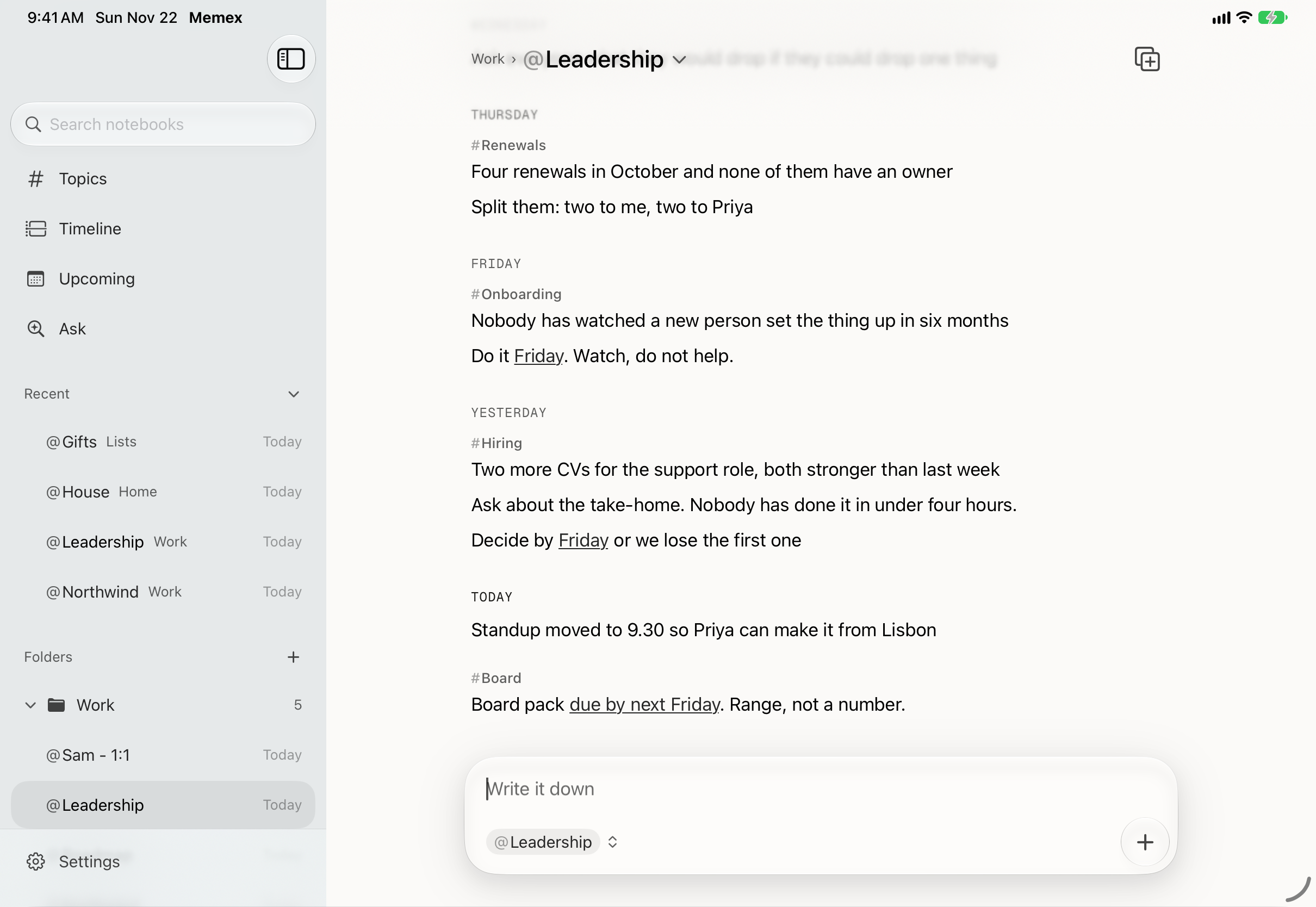
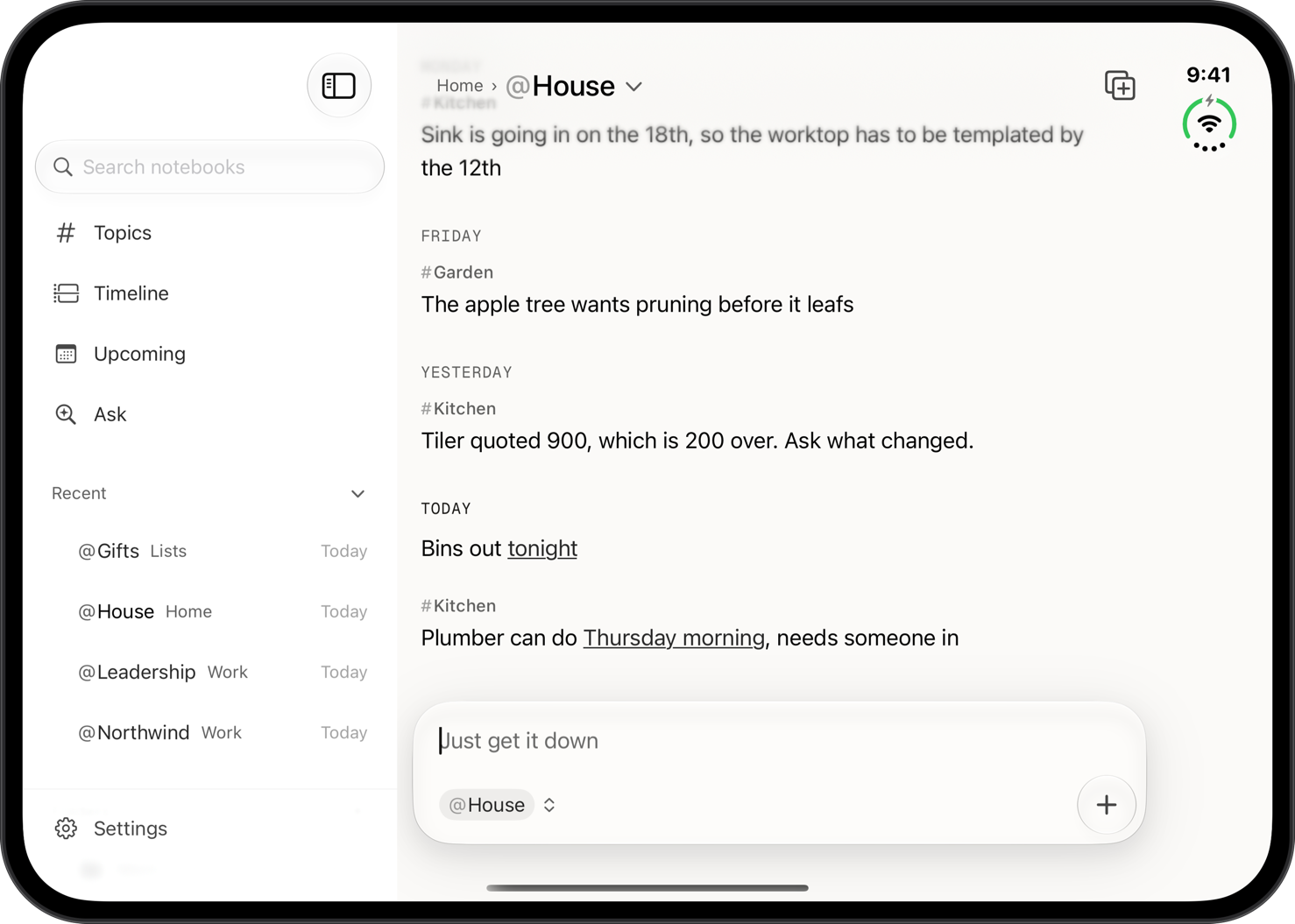
Memex on iPad: the House notebook as a thread, with the writing bar under it.
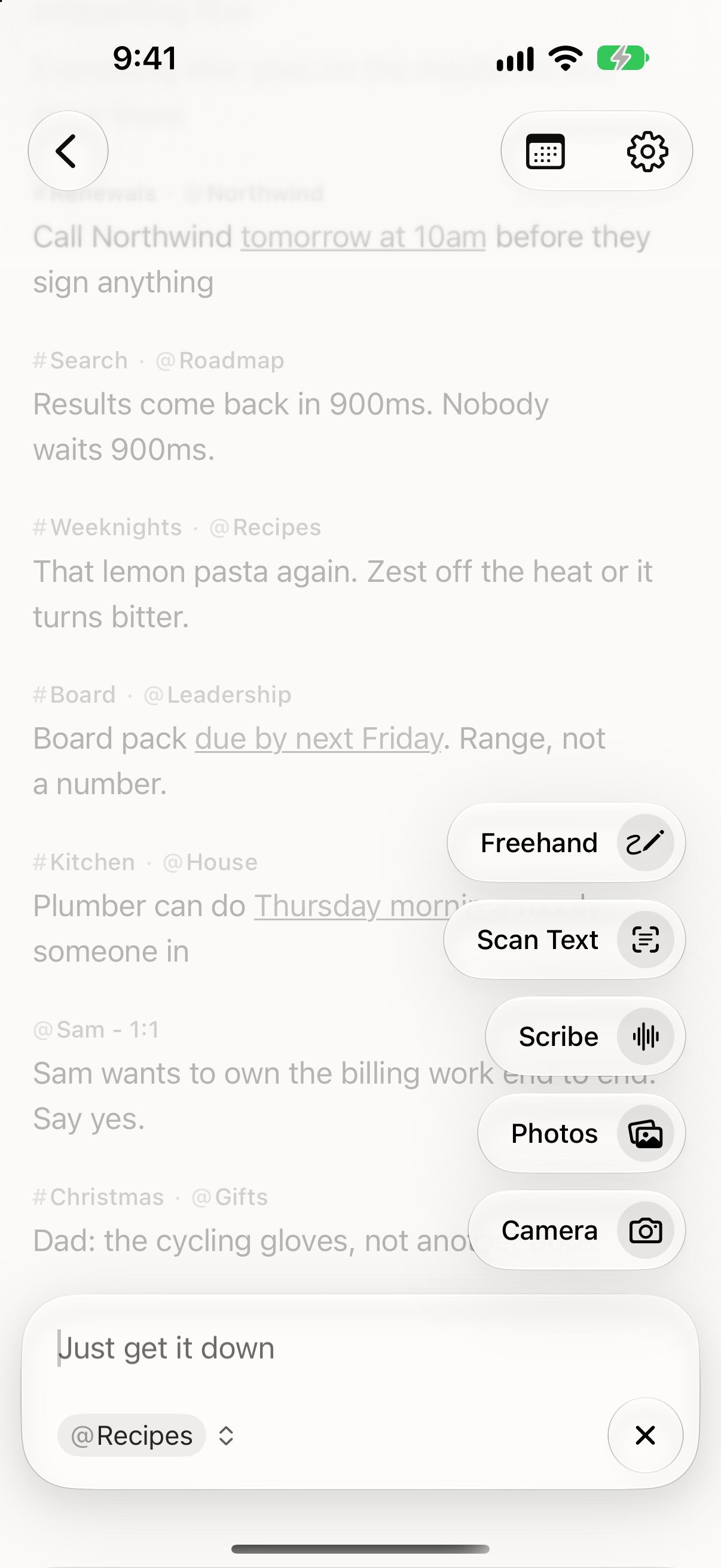
Memex on iPhone: the day's notes above the writing field, with its menu open on Freehand, Scan Text, Scribe, Photos and Camera.
  • No account Nothing to sign into
  • Only yours On your devices and your own iCloud
  • One payment Pro is never a subscription

Writing it down

Nothing to open first.

Most notes apps make you choose a document before you can write. Memex is one field, always ready. Type the line, tag it with #Kitchen or @House if you like, and send.

  • Always one tap away. Control Centre, the Lock Screen, the Action Button and a home screen widget.
  • Or let Scribe write it. Tap the waveform in a conversation and it comes back as notes.
  • Or point the camera. Printed text arrives in the field, ready to send.
  • Or take a picture. A photo goes in as a note, from the camera or your library, and Spotlight finds the words in it.
  • Or write it by hand. With a finger or Apple Pencil, and search still finds the words. More on Freehand
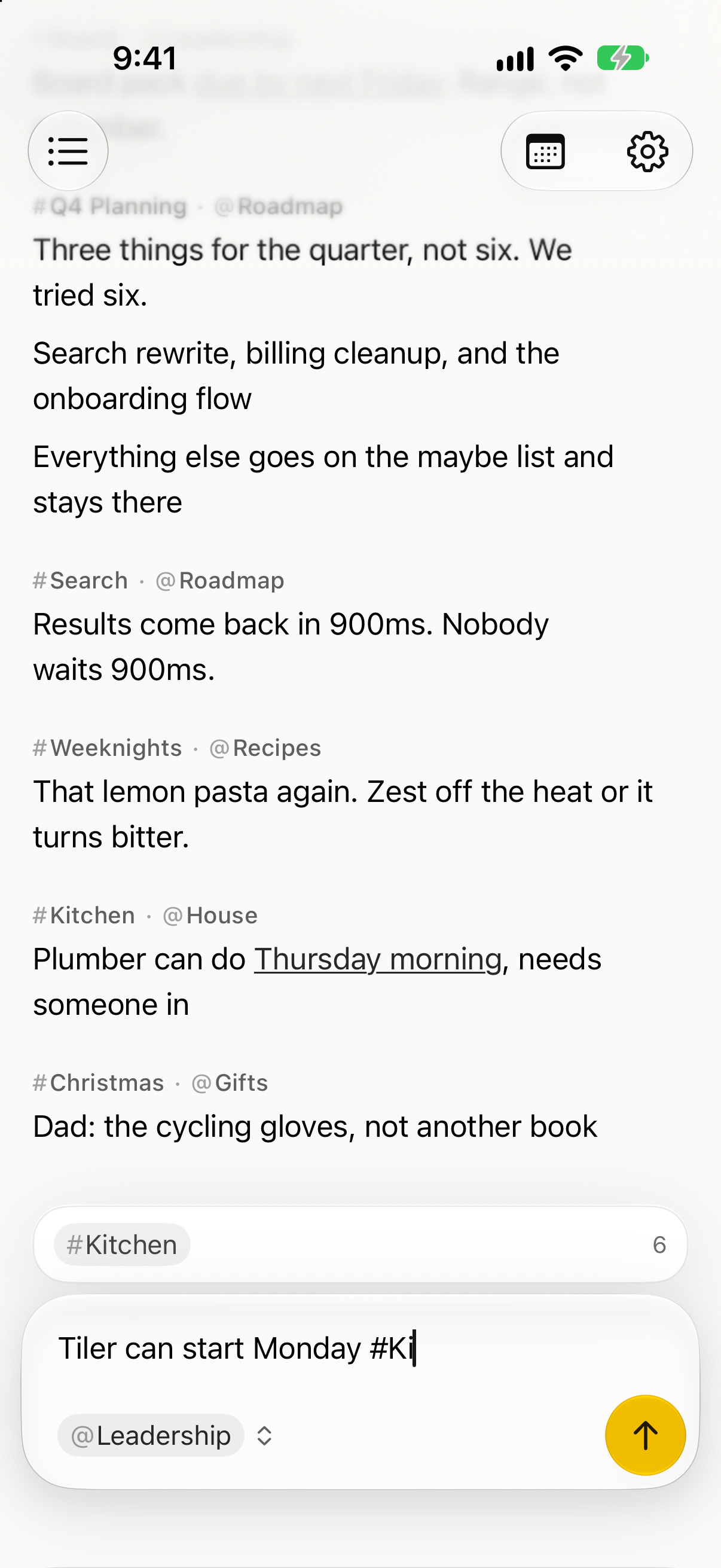
Writing a note in Memex: the topic Kitchen is suggested as you type #Ki.

Freehand

Write it by hand. Find it by typing.

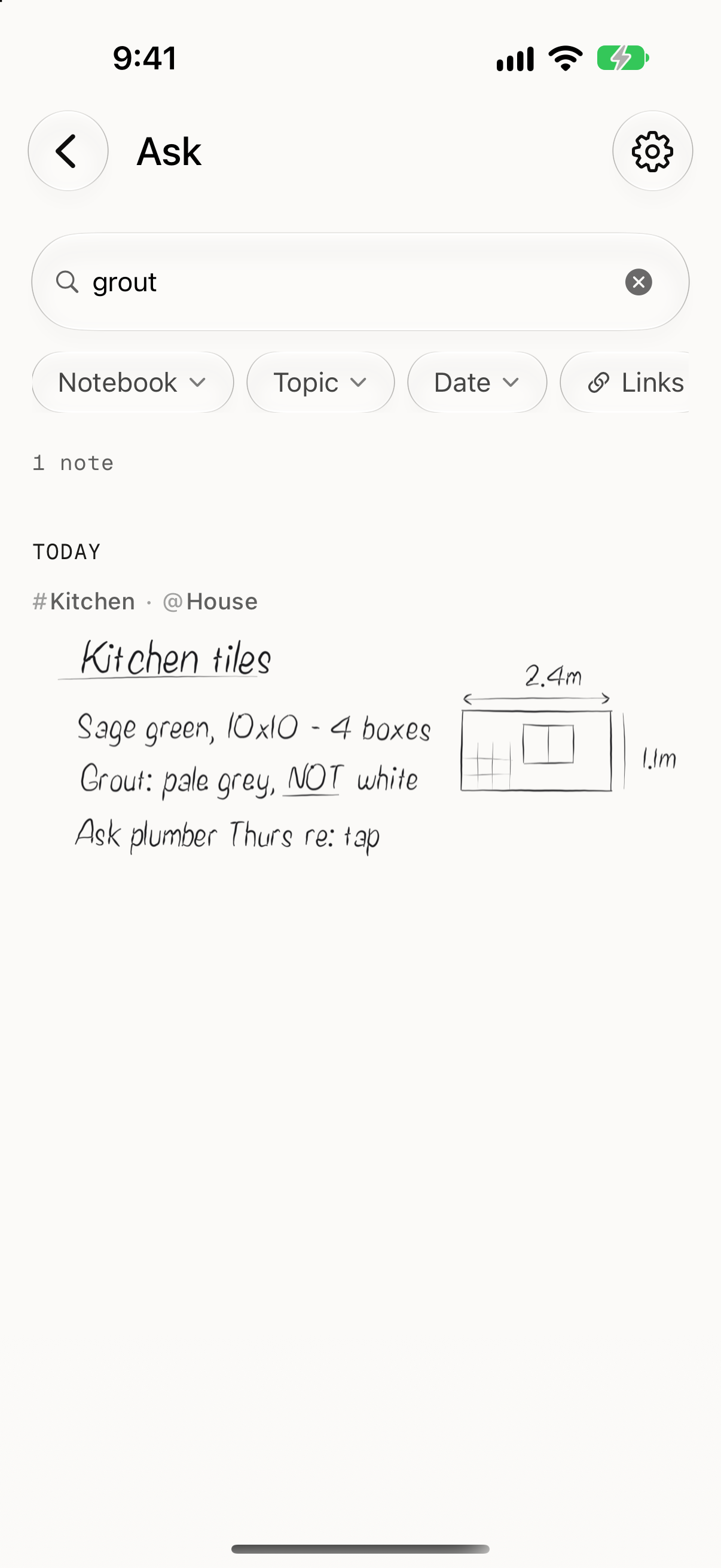
Tap + and choose Freehand for a page to write or draw on, with Apple Pencil on iPad or your finger on iPhone. Memex reads your handwriting on your device. Weeks later, type “grout” into search and the page you scribbled comes straight back.

  • Ink, not a photo. Your writing stays exactly as you wrote it. Tap it later and carry on.
  • Search reads it. The words in your handwriting turn up in search, Ask and Spotlight.
  • Read on your device. Your handwriting is never sent anywhere to be read.
  • Same page everywhere. Write it on iPad and it fits your iPhone.
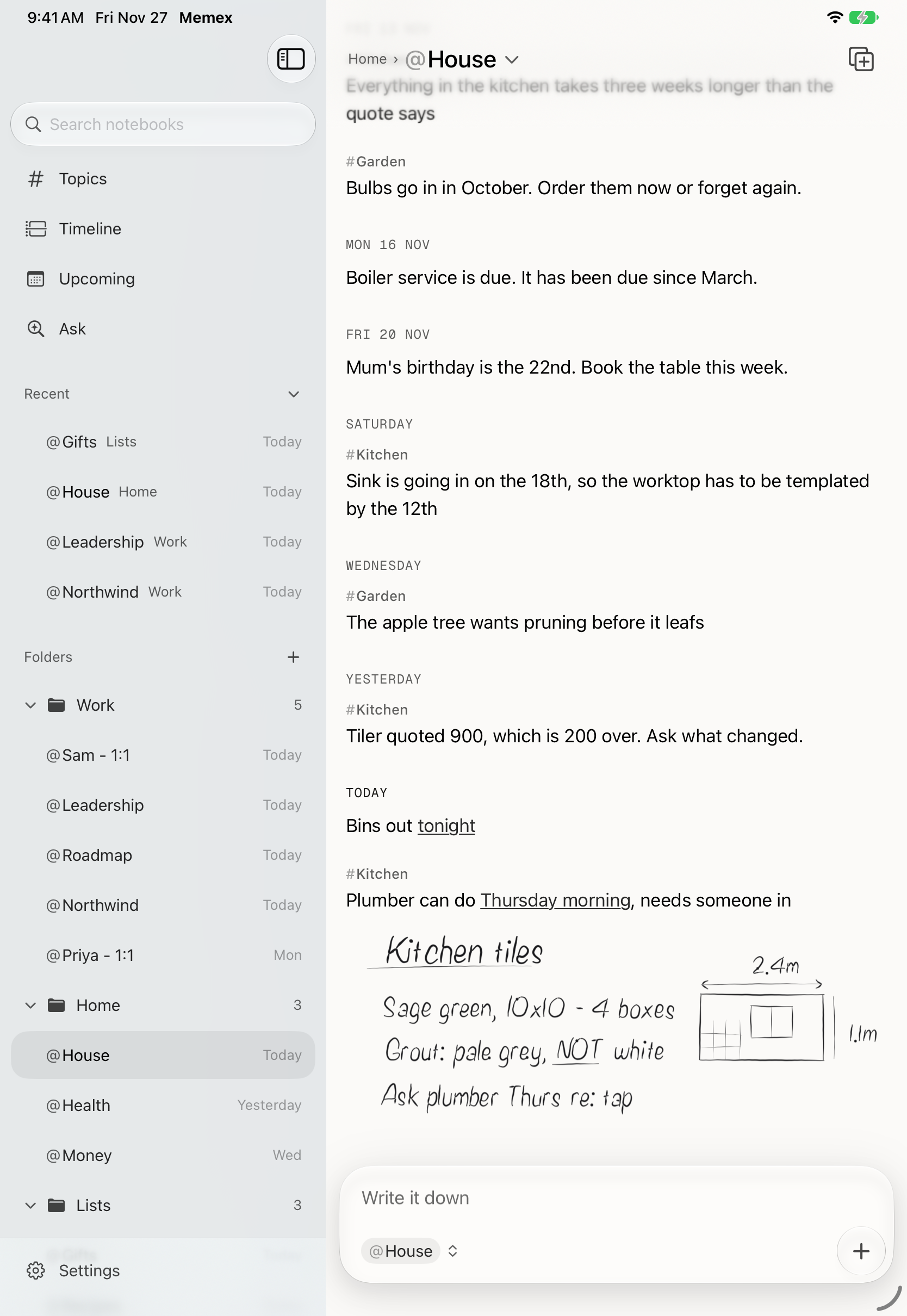
Memex on iPad: the House notebook, ending in a handwritten page about kitchen tiles, with a sketch of the wall.
Memex on iPhone: searching for grout finds the handwritten kitchen tiles page.

Scribe

Talk. Get the notes.

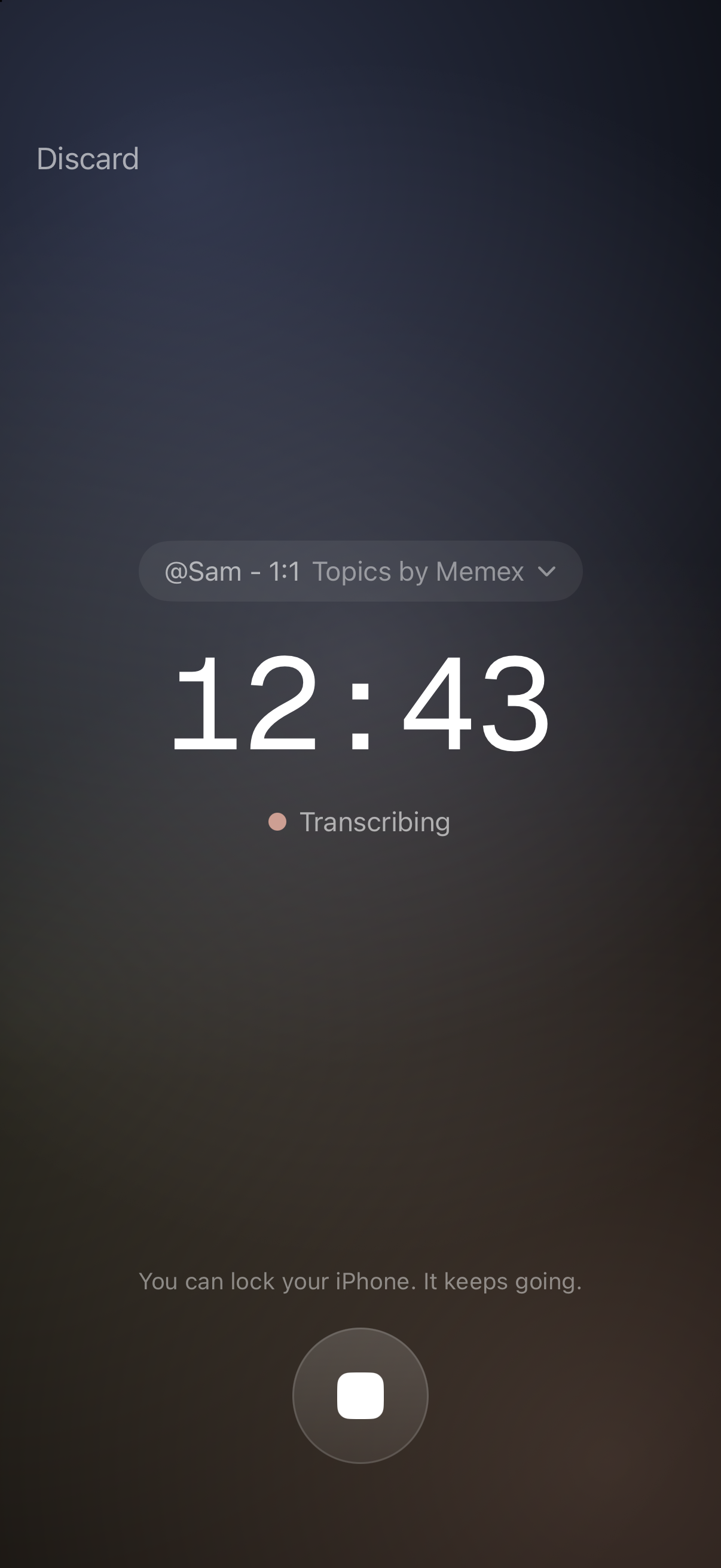
Tap the waveform during a conversation and put your phone down. When you stop, Memex reads the whole thing and writes down what was worth keeping: what was decided, what matters, what happens next. They land in the notebook you were in, grouped under the topics you already use.

  • A dark screen. Black, with a pearl that lifts while somebody talks. Lock the phone and it keeps going.
  • Every word kept. The full transcript is a tap away under the notes it became.
  • On your device. Transcribed on your iPhone or iPad, and the audio is deleted once it is.
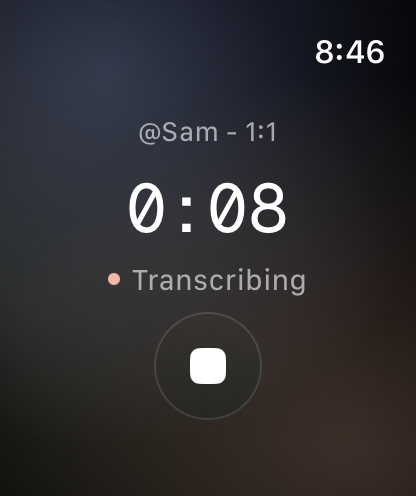
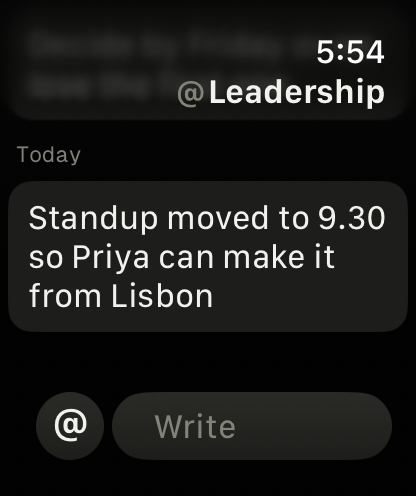
  • On your wrist Pro Start it on Apple Watch and your iPhone does the rest.

Scribe needs iOS 26. Notes are written by Apple Intelligence where it is on; elsewhere you get the transcript itself, in paragraphs.

Scribe on iPhone: a black screen with a soft pearl glow, the notebook, a running timer and a stop button.
Scribe on Apple Watch: the same dark pearl screen, transcribing a 1:1.

Finding it again

However you happen to think of it.

Nobody remembers where they put a thought. They remember something about it: who it was about, what it was for, roughly when.

By #topic

A topic gathers a thread across every notebook it touched.
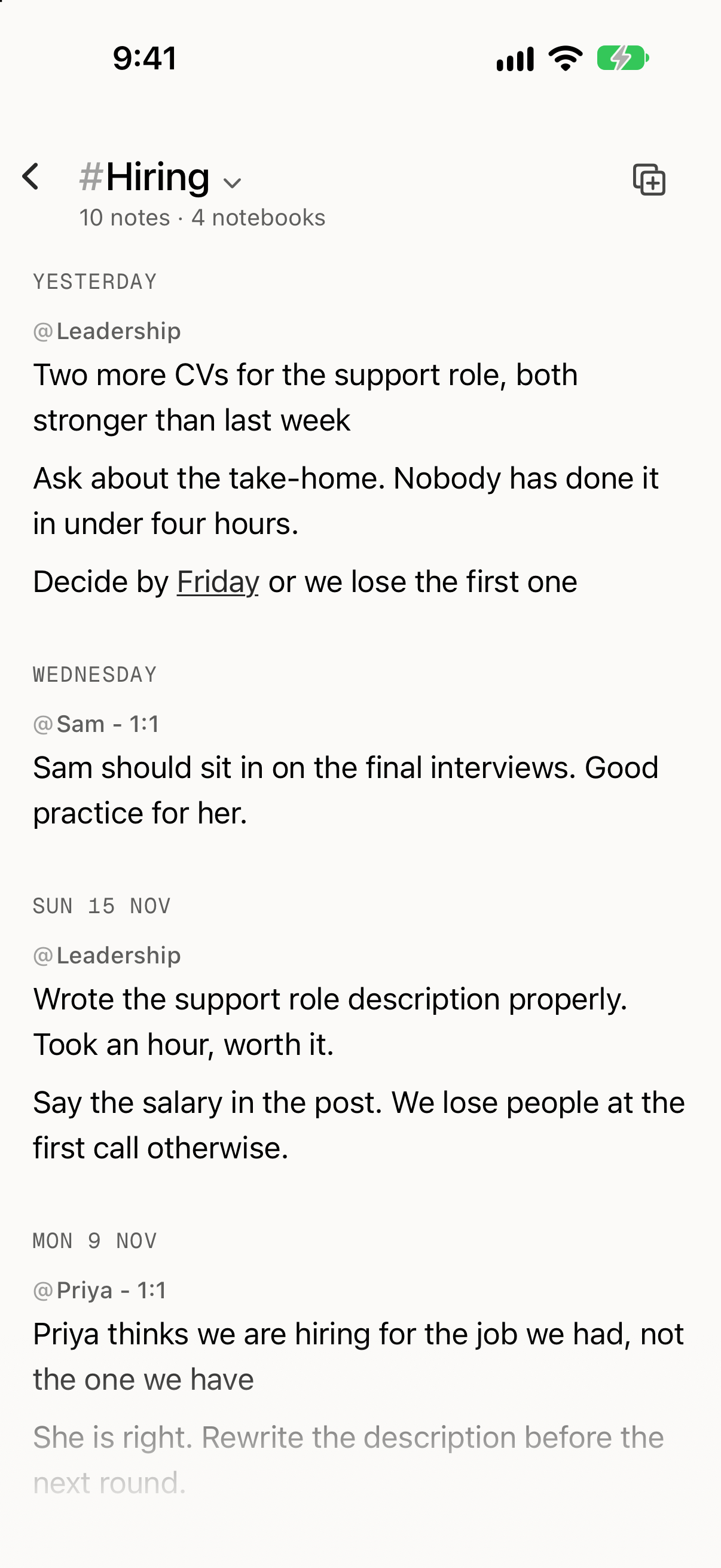
The topic Hiring, with notes from Leadership, Sam and Priya.

By @notebook

Each notebook reads as one document. Keep one for someone and they get a page too: where you left off, newest first.
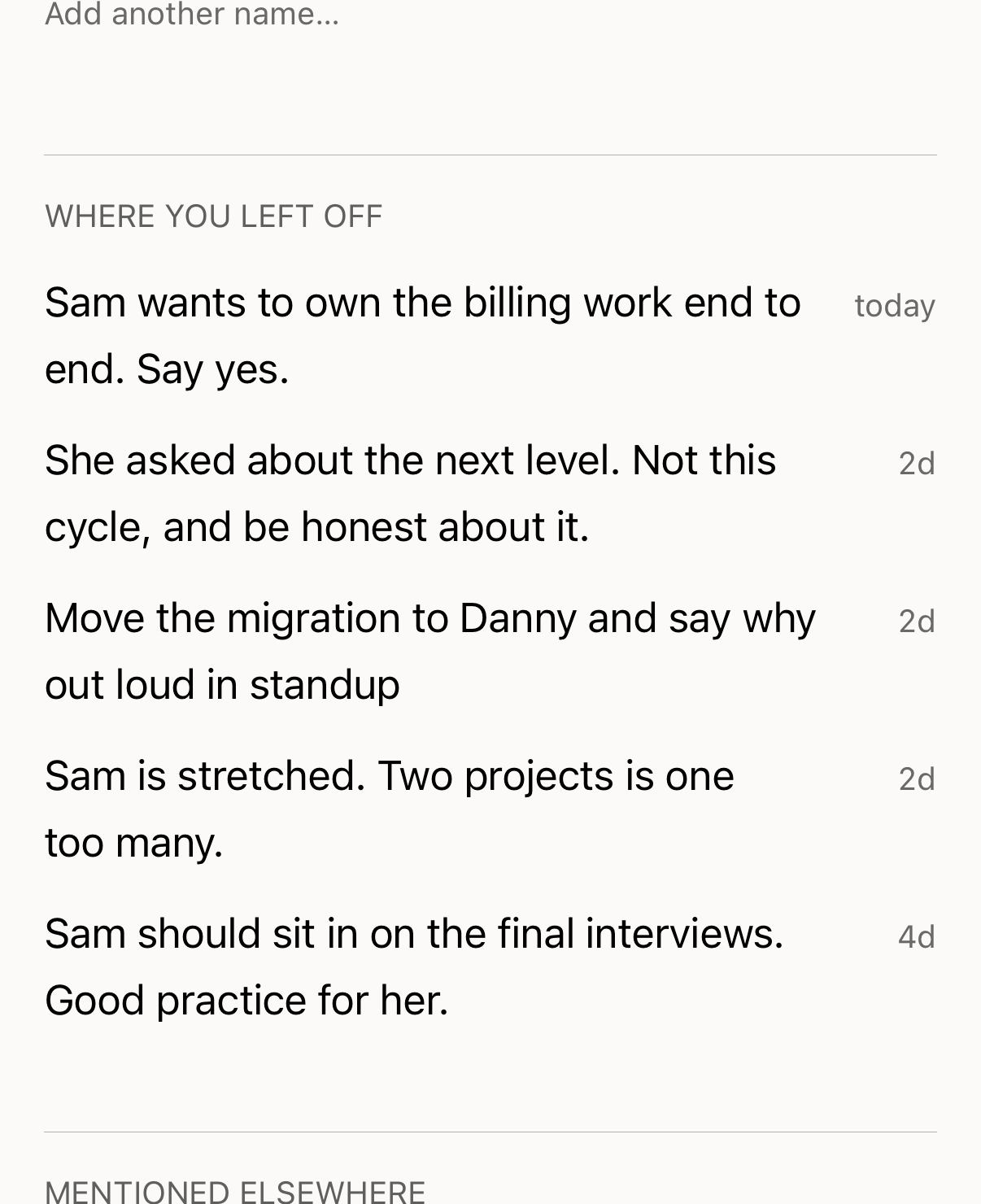
Sam's page, from the notebook kept for Sam: the last things you wrote, newest first.

By the day

A timeline and a calendar, for when you only recall roughly when.
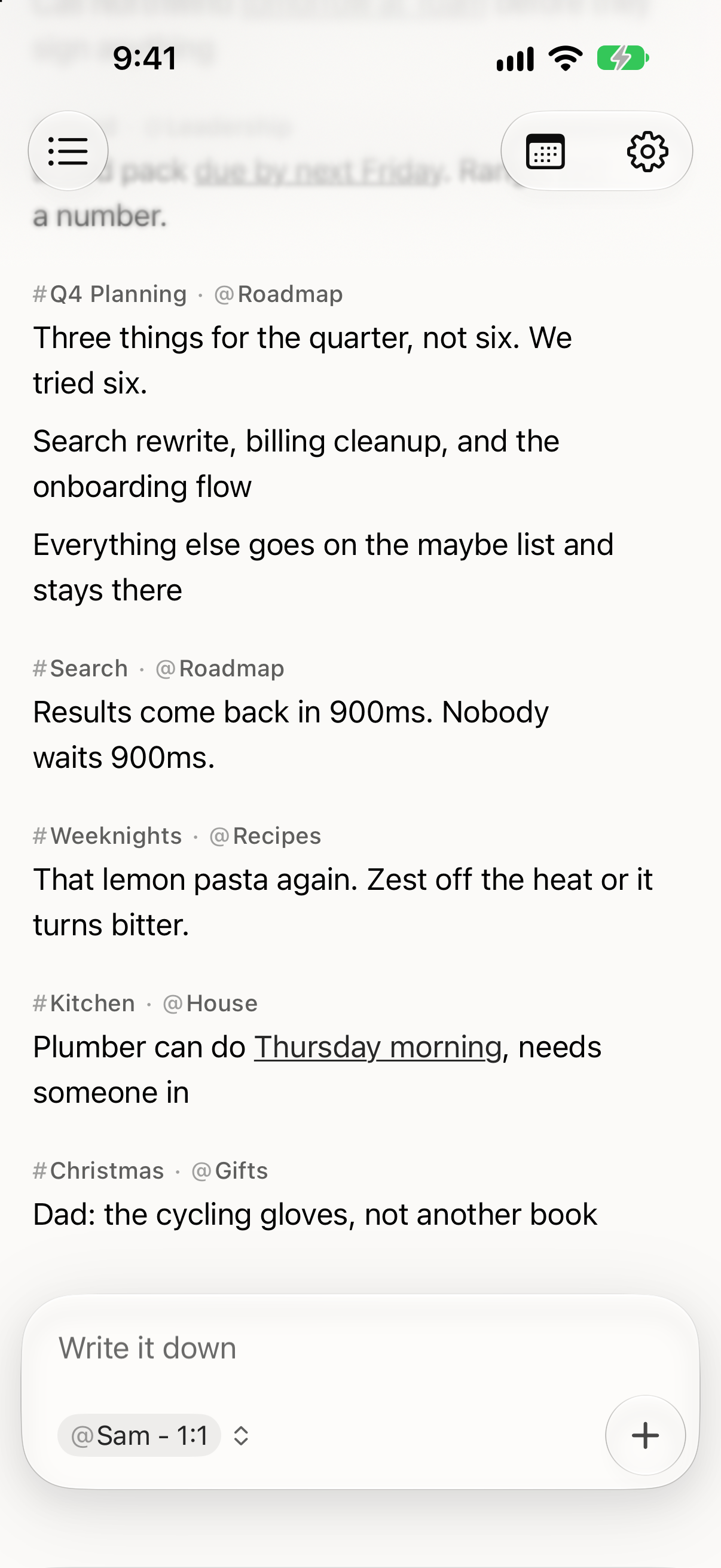
The timeline: today's notes with their topics and notebooks.

By asking

“What did Priya say yesterday?” “Is anything due Friday?” Ask in plain words, or ask Siri, on iPhones with Apple Intelligence. The notes it used are listed underneath.
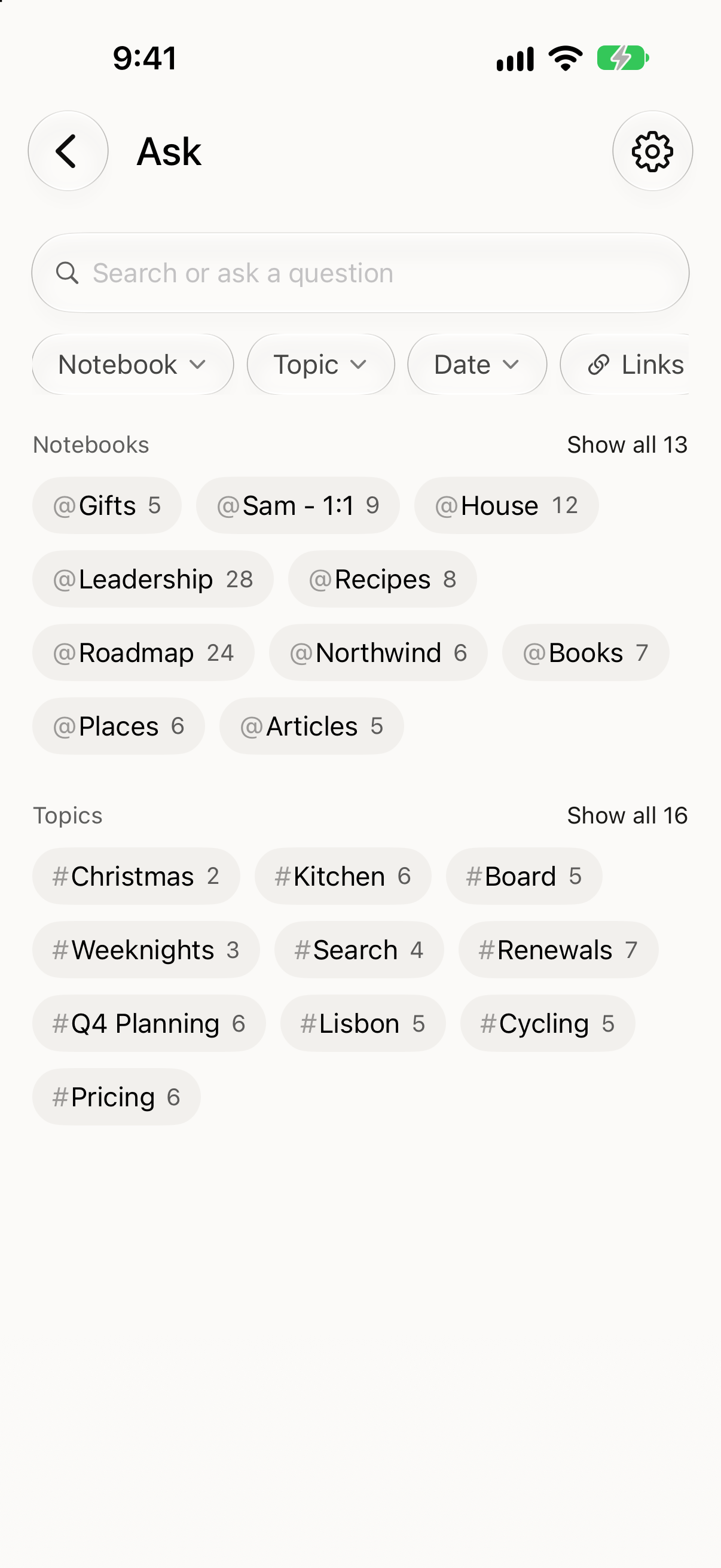
Ask: a question field above your notebooks and topics.

The page for each person comes with Memex Pro.

Upcoming Pro

Every date you wrote down.

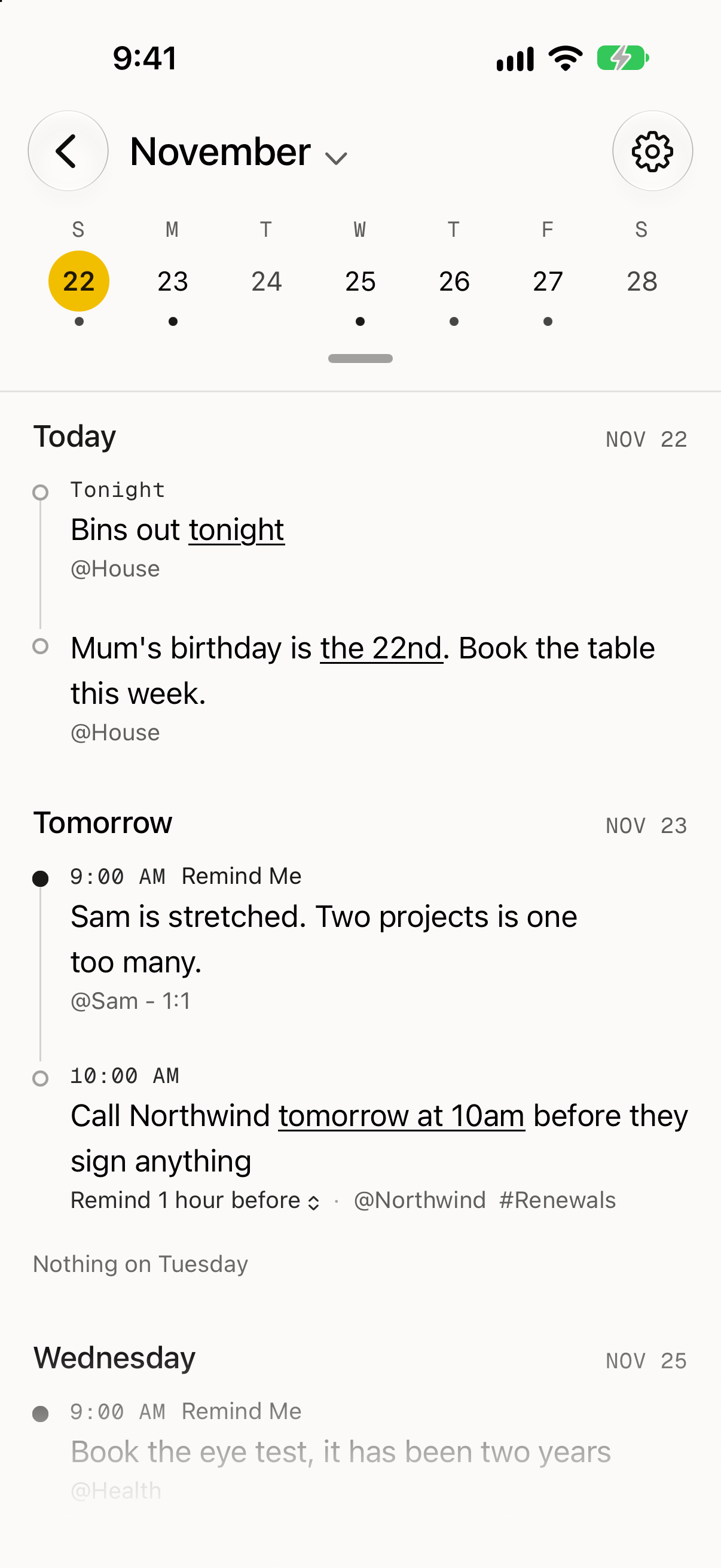
Write “decide by Friday” and it is filed under Friday. Upcoming gathers every day and time in your notes, from every notebook, beside the notes you asked to see again.
  • The day it means. “Friday” in a note written on Tuesday is that Friday.
  • Reminders you choose. Tap the reminder under a date to pick when it rings, or have none at all.
  • Not a date? Say so. Take it off the list and the note stays exactly as you wrote it.
Upcoming: today and tomorrow, each date underlined in the note it came from.

Prompts

Your notes, ready for any AI.

Turn a notebook or a topic into a prompt you can paste into any AI chat: catch me up, what’s still open, draft the follow-up.
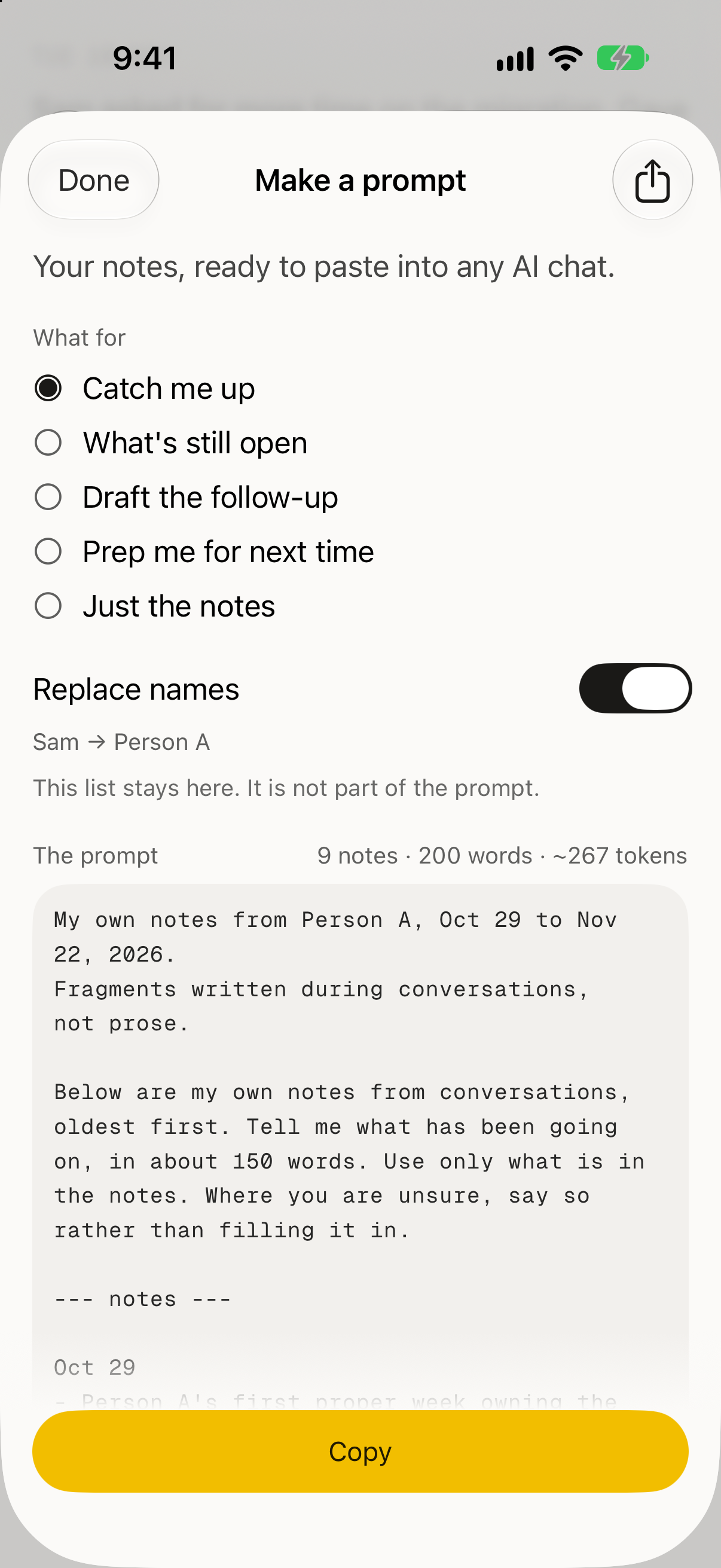
  • Names come out. People become Person A, and the key stays on your phone.
  • You read it first. The whole text, not a description of it.
  • Memex never sends it. It goes on the clipboard, and where it goes next is up to you.
Make a prompt: choose what it is for, with names replaced, and read the text before copying it.

Everywhere you already are

Two columns on iPad and Duo. One field on your wrist.

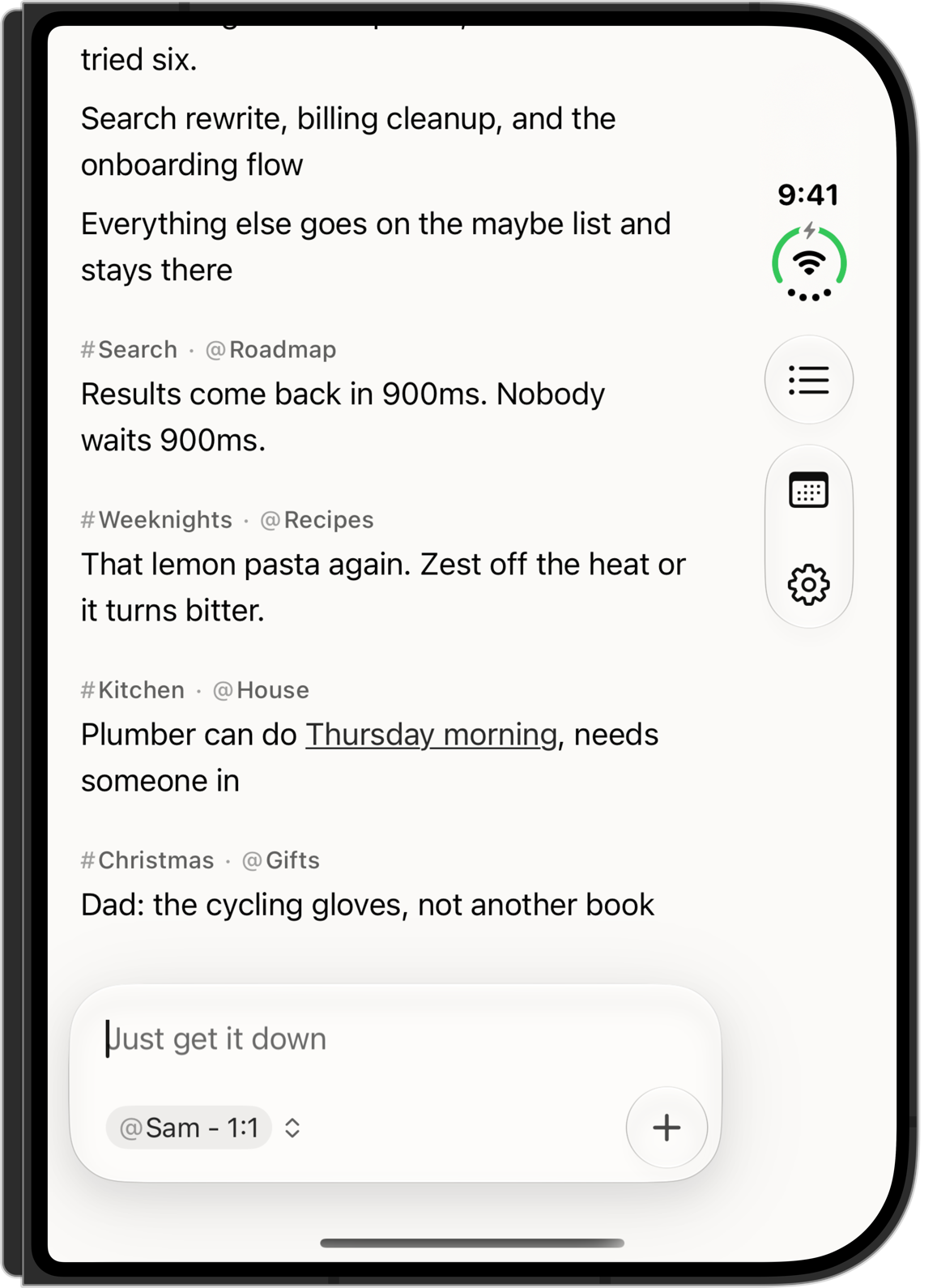
Write on the phone, read on the iPad, through your own iCloud. On iPhone Duo, folded is the phone and open is the iPad.
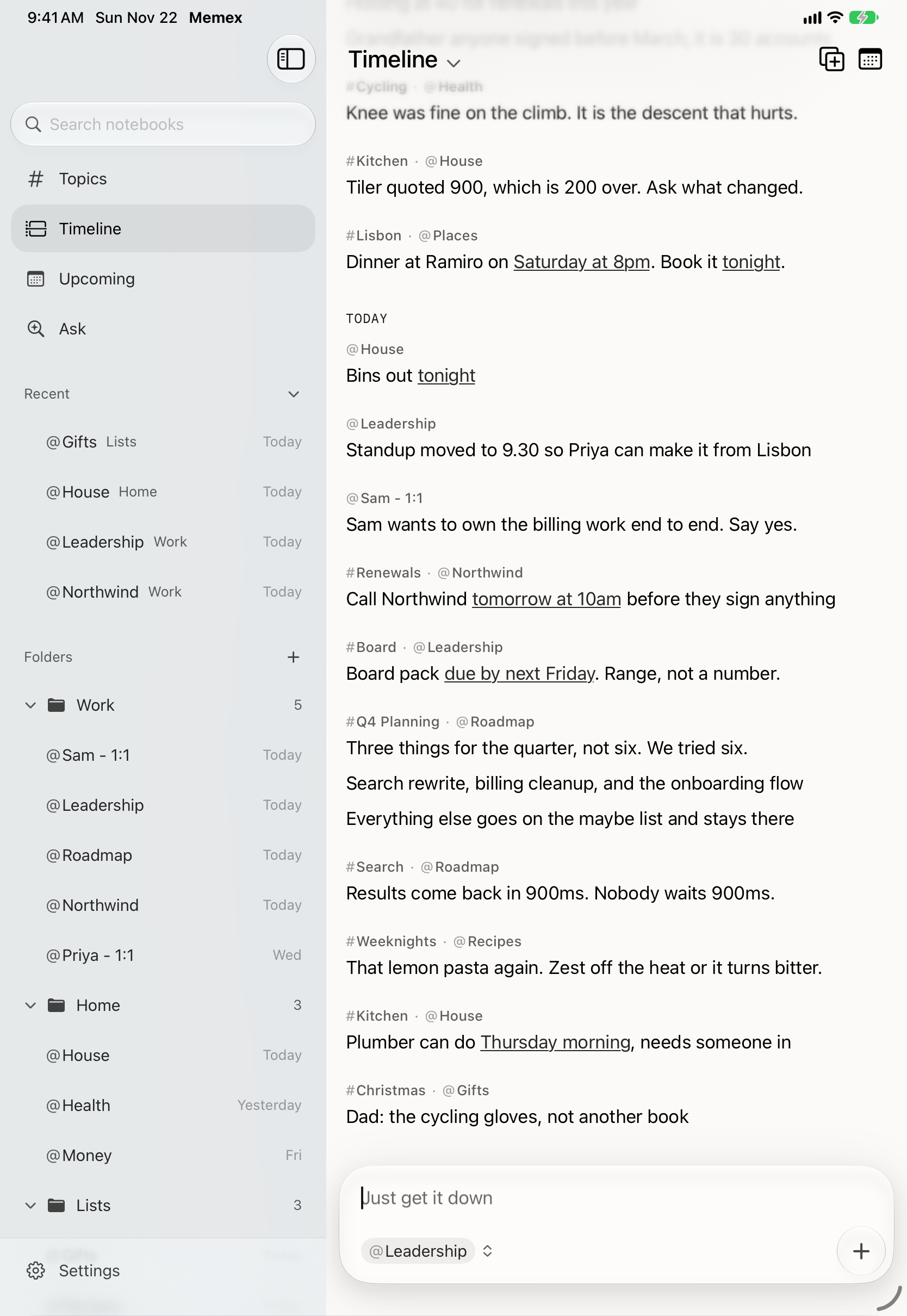
Memex on iPad: folders and notebooks down the side, the timeline beside them.
iPhone Duo folded: one field and the day's notes, like the iPhone.
iPhone Duo unfolded: the sidebar and a notebook side by side, like the iPad.
Memex on Watch, showing the current notebook and a field to add to it.

Privacy

We never see a word you write.

No account and no analytics. Your notes live on your devices and in your own iCloud, never with us. Answers are worked out on your phone by the model that comes with iOS, and Scribe transcribes on your iPhone and deletes the audio once it has. Turn on aeroplane mode and everything but sync still works.

  • Data used to track youNone
  • Data linked to youNone
  • Data not linked to youNone

Notes sync through your own iCloud. Everything you have written leaves in one tap, as Markdown to read anywhere or JSON to bring back.

Pricing

Free to keep. One payment for Pro.

Memex

Free

  • Type, talk, scan, photograph or draw
  • Scribe on iPhone and iPad
  • Notebooks, topics and the timeline
  • Ask your notes, with Apple Intelligence
  • Prompts for any AI chat
  • iCloud sync, and export as Markdown or JSON

Memex Pro

One payment

  • Upcoming: every date in your notes, with reminders
  • A page for everyone you keep a notebook for
  • A brief before a meeting, on the Lock Screen too
  • Scribe on Apple Watch
  • Handoff between iPhone and iPad

iPhone, iPhone Duo, iPad and Mac. Watch app included.

Coming from Apple Notes

Bring what you already wrote.

Both ways show you what they found before anything is written, and neither touches the note they read.

One note

In Apple Notes, tap Share and choose Memex. It arrives as separate notes, with dates and subjects read from the note’s own structure.

A whole folder

A small Mac tool reads Apple Notes and writes one file. AirDrop it to your phone, then Settings › Import from file.

Download for Mac

122 KB · macOS 14+. It is not notarised, so the first time, right-click it in Finder and choose Open. It makes no network connection.